Microsoft Copilot Managed Runtime and Autopilot: What Persistent Enterprise Agents Need to Be Safe
Microsoft’s new Copilot Managed Runtime and Autopilot introduce sandboxed app hosting and persistent agents with their own identity, memory and workspace. Here is the architecture and governance checklist that matters.
Microsoft’s September 25 Copilot announcement bundles three different ideas: a new Copilot home, Code for building small solutions, and Autopilot for persistent proactive work. Underneath them is Copilot Managed Runtime, a preview hosting layer for code and apps inside an organization’s Microsoft 365 environment. The interesting engineering question is not whether an agent can keep working while people are away. It is how identity, memory, workspace, permissions, audit, approvals and cost controls behave when the agent has a durable presence in the tenant.
What Microsoft is introducing
The announcement describes a runtime and an agent product with different responsibilities.
Microsoft describes Copilot Managed Runtime as preview hosting infrastructure that lets code run inside the company’s Microsoft 365 environment. It is governed by IT, can connect to live data, and is intended to support experiences built in Copilot, Code and Copilot Studio, including third-party and pro-code developers.
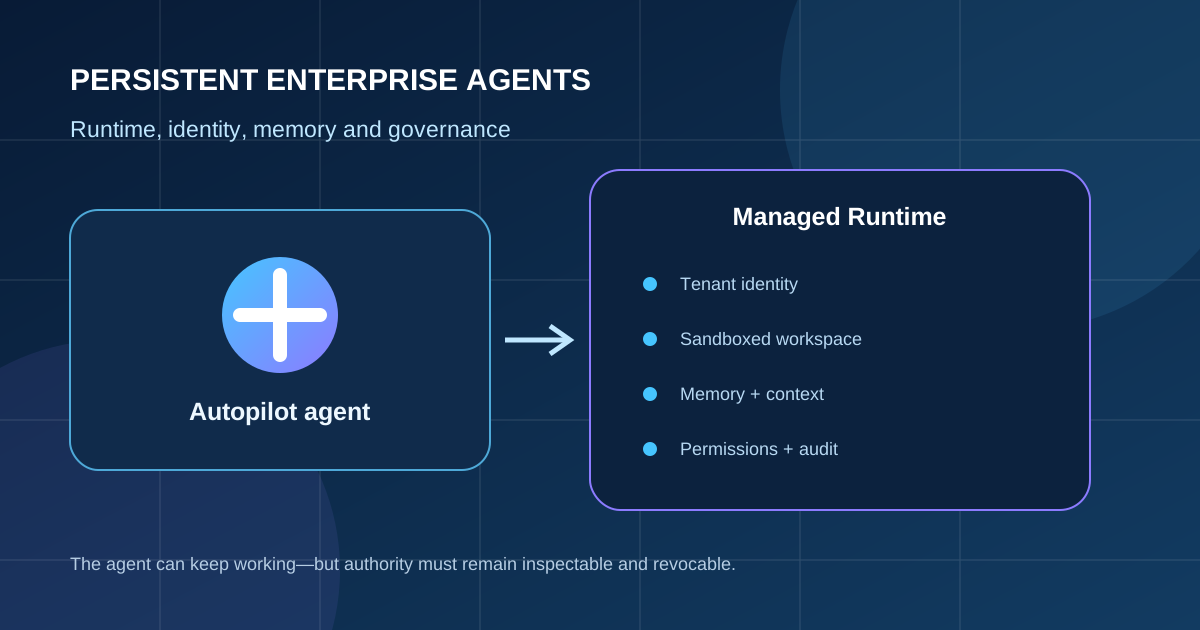
Autopilot is described as a cloud-hosted persistent agent. A user gives it a name, role and goal; it can watch channels, follow up on threads, run recurring work and resume projects later. Microsoft says it has its own identity, memory, computer and workspace, and appears across Teams, Outlook, chats, channels and documents with permissions, audit and governance behind it.
This is a different layer from a request-scoped workflow. Compare it with the explicit session and environment boundaries in our Agents API architecture guide: persistence turns cancellation, ownership, retention and reauthorization into first-class design questions.
| Capability | What it enables | Design question |
|---|---|---|
| Managed Runtime | Hosts code and apps inside the tenant | Who owns packages, network access, data connections and patching? |
| Code | Builds small apps, trackers, dashboards and workflows | How are generated changes reviewed, tested and shared? |
| Autopilot | Runs persistent work across Microsoft surfaces | How is its identity scoped, paused, audited and revoked? |
| FinOps for AI | Controls usage, credits and model access | Which budgets and approvals stop runaway agent work? |
A persistent agent needs its own identity
Delegation should not mean impersonation.
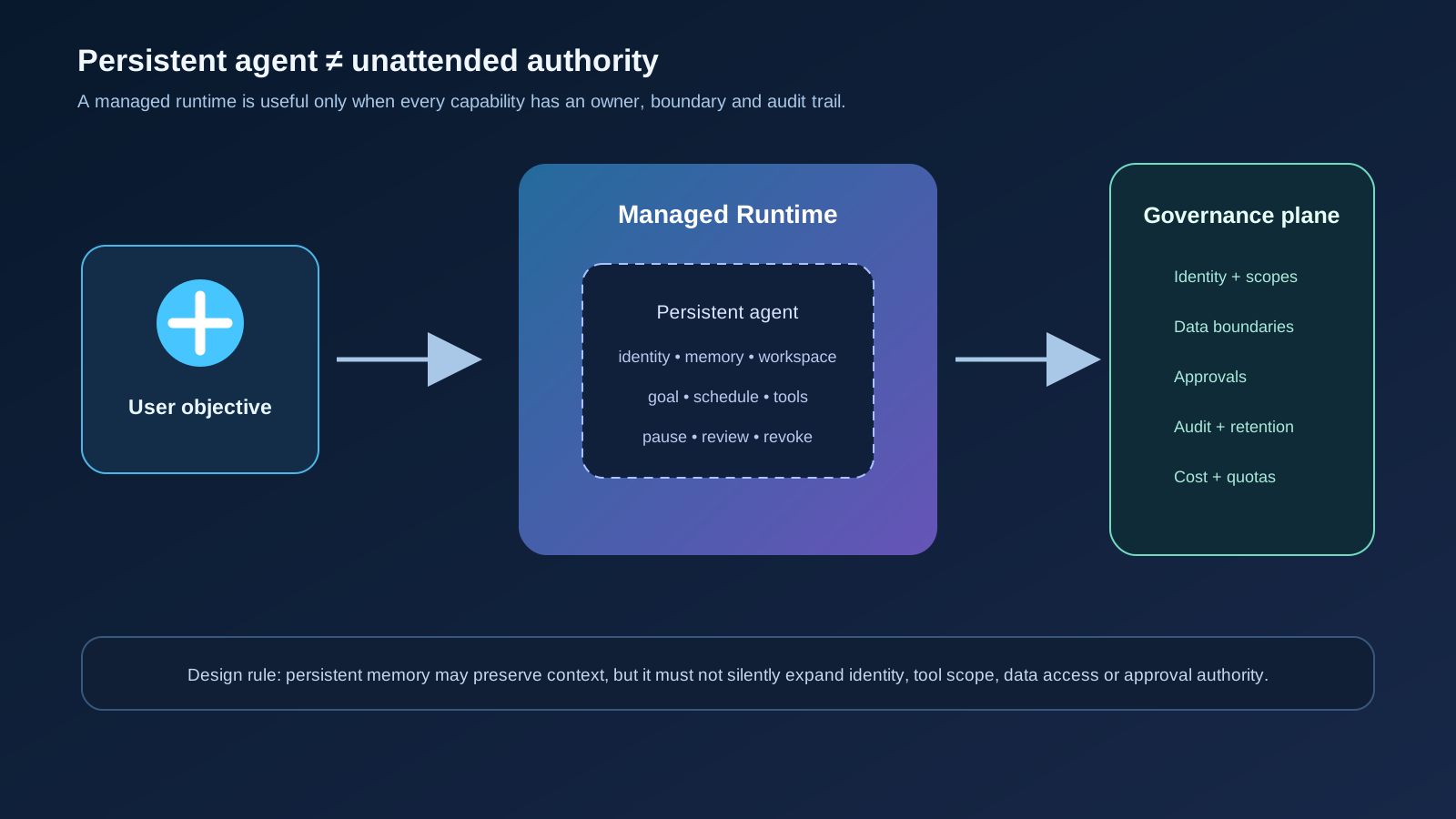
Microsoft’s description that Autopilot has its own identity is important. An agent that sends messages, reads documents or coordinates a supplier review should be attributable as an agent acting for a defined owner—not indistinguishable from the person who created it. The identity should carry tenant, role, purpose, tool scope, data scope and expiry information.
The difficult case is a long-running task whose original permissions change. A user may leave a team, a project may close, a document may become restricted, or a connector may be reconfigured while the agent is asleep. Resuming from memory must trigger current authorization checks. Stored context is not a permission token.
This is also where the architecture in our
Google Cloud API Gateway MCP analysis is useful as a comparison: discovery, protocol access and business authorization are separate boundaries. A persistent Copilot agent needs the same separation between identity, capability and effect.
- Create a distinct service identity for each agent or controlled agent class.
- Bind access to owner, tenant, purpose, resource and expiry.
- Reauthorize every resumed task against current policy.
- Show when an agent—not a person—is the sender or actor.
- Make pause, revoke and deletion observable and testable.
Common Mistakes
- Letting an agent inherit the creator’s full permissions.
- Treating memory as proof that old access is still valid.
- Hiding autonomous messages behind a human-looking sender.
- Keeping recurring agents alive after the business owner or objective disappears.
Memory and workspace are separate risk surfaces
A durable agent can remember more than it should and reach more than it needs.
A persistent agent’s memory may contain decisions, personal data, drafts, credentials accidentally pasted into chat, and assumptions that are no longer true. Its computer and workspace may contain files, packages, browser state, generated code or cached connector results. Treating all of this as one convenient context store makes retention, deletion and access review difficult.
Use separate policies for conversational memory, task state, artifacts, logs and secrets. Every item should have an owner, classification, retention period and deletion path. A resumed task should state which memory it loaded and which current policy allowed that load.
For high-impact actions, require the agent to re-read authoritative data rather than trusting an old memory summary. Summaries are useful for continuity; they are not a source of truth for payments, access changes, legal commitments or production operations.
| State | Purpose | Control |
|---|---|---|
| Memory | Useful context and preferences | Classification, retention, user visibility and deletion |
| Task state | Where a workflow paused | Owner, policy version, retry and cancellation state |
| Workspace | Files, code and intermediate artifacts | Sandbox, package policy, network boundary and cleanup |
| Audit log | What the agent actually did | Append-only evidence, correlation IDs and access review |
Autonomy needs a control loop, not only a goal
A recurring agent should be easy to pause before it becomes difficult to explain.
Autopilot’s value comes from continuing work without a new prompt. That same property creates a monitoring requirement: the system needs a clear lifecycle from proposed objective to active run, waiting state, approval request, completed effect, cancellation or expiry. “It keeps working while you sleep” should never mean “nobody can see what it is doing.”
Define which events can happen automatically and which require a person or deterministic service. Reading a channel, drafting a follow-up and preparing a supplier schedule may have different risk levels from sending external messages, changing a contract, approving an invoice or modifying access.
Our human-in-the-loop automation guide provides the adjacent approval pattern: keep the agent productive while placing an explicit decision boundary before consequential effects.
- Display current objective, owner, tools, data sources and next scheduled action.
- Add time, spend, tool-call and notification budgets.
- Require approval for external, financial, legal, destructive or cross-tenant effects.
- Support immediate pause and credential revocation.
- Record why each action was allowed, denied, retried or escalated.
FinOps is part of agent safety
Runaway cost is often a symptom of runaway autonomy.
Microsoft also describes usage-based billing for long-running agentic capabilities and new FinOps controls for AI. That is more than a procurement detail. A persistent agent can create work across multiple days, retry a failing connector, spawn repeated analysis, or send more messages than its owner expected. Cost and operational impact need budgets before the agent is trusted with broad access.
Set budgets at several levels: per run, per day, per department, per model family, per connector and per effect. A budget alert should be able to pause work, not merely report an overage after the fact. Measure business outcomes separately from token or credit consumption; a cheaper agent that creates rework is not necessarily efficient.
The same principle applies to generated Code solutions. A sandbox reduces the blast radius, but it does not decide whether the app should access live data, who can share it, or whether its output is reliable enough for a business process.
Tips
- Start with read-only data and a bounded schedule.
- Set hard limits before connecting live enterprise systems.
- Alert on unusual retries, connector breadth, output volume and recipient count.
- Review cost and value together at the agent and workflow level.
What Microsoft’s announcement does not prove
A managed runtime does not automatically make generated code secure, and a tenant boundary does not guarantee that every connector, file, plugin or agent identity is correctly scoped. The announcement describes capabilities and governance foundations; each organization still has to configure policy, validate access and test failure paths.
Autopilot’s persistent behavior also does not eliminate the need for human accountability. A named goal is not a complete specification. Teams need completion criteria, approval rules, escalation paths, retention policy, recovery behavior and an owner who can stop the agent.
The durable takeaway is architectural: persistent agents should be treated as long-lived software principals. Give them useful memory and a controlled workspace, but keep identity, authority, approvals, audit and budgets independently visible and revocable.
FAQ
What is Copilot Managed Runtime?
Microsoft describes it as preview hosting infrastructure for running code and apps inside an organization’s Microsoft 365 environment, governed by IT and usable by Copilot, Code, Copilot Studio and developers.
Is Autopilot just a chatbot?
No. Microsoft describes Autopilot as a persistent cloud-hosted agent that can continue work across time and Microsoft work surfaces with its own identity, memory, computer and workspace.
Should a persistent agent use the user’s permissions?
It should use a separately scoped agent identity and current authorization checks. Impersonation makes ownership, audit, revocation and least privilege harder.
What should be tested first?
Test identity scope, memory retention, resumed-task reauthorization, connector boundaries, pause and revoke behavior, audit completeness, approval gates and hard cost limits before enabling broad autonomy.
Sources
Primary and authoritative sources reviewed for this article.
- Microsoft Official Blog: Introducing the new Copilot with Home, Code and Autopilot
Official announcement for Copilot Managed Runtime, Code, Autopilot, identity, memory, workspace, governance and FinOps capabilities.
Conclusion
Microsoft’s Copilot Managed Runtime and Autopilot point toward a future where enterprise agents are not short-lived chat sessions but durable software principals. That can make work more useful, yet it raises the standard for governance. The safe design keeps the agent’s goal and memory separate from its authority, puts deterministic checks before consequential effects, and makes every run visible, budgeted, pausable and attributable.